
yii2.0 + vue 前后端交互(跨域)
前端配置指明发送到具体的URL
需要使用vue-resource:下载:
cd 项目根目录
npm install vue-resource --save-dev
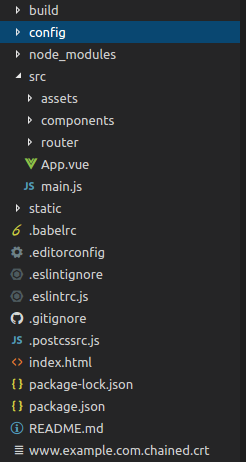
项目结构:
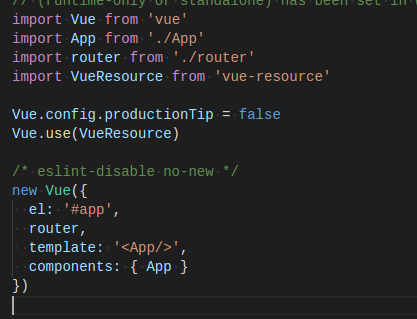
1.在main.js引入
import VueResource from "vue-resource"
Vue.use(VueResource)
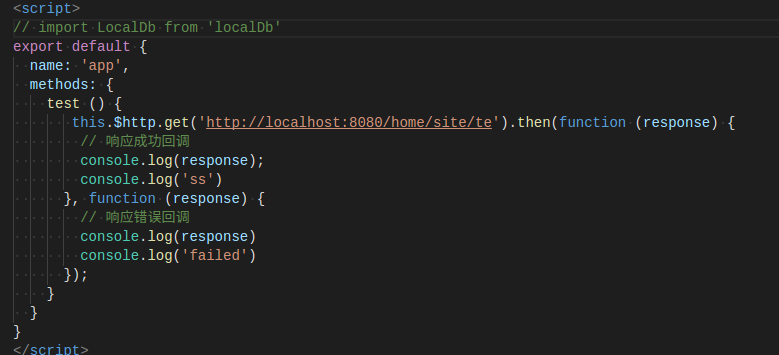
2.在发送请求.vue文件调用(例如App.vue)
	    test (){
               this.$http.get("http://localhost:8080/home/site/test").then(function (response) {
                  // 响应成功回调
                  console.log(response);
                  console.log("ss")
               }, function (response) {
                  // 响应错误回调
                  console.log(response)
                  console.log("failed")
               });
            }
3.在该.vue文件中添加测试按钮button,调用test方法,在页面点击测试
<button @click="test">点击</button>
后端配置(yii):
项目结构:
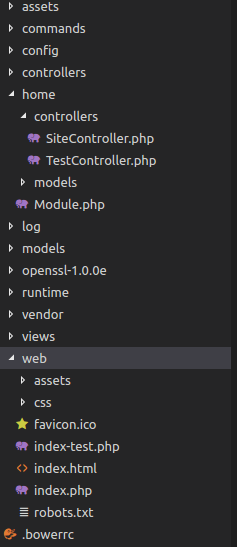
home文件夹用于测试使用, 这边讲解使用该目录
1.需要指明哪个URL可以访问后端的某个controller, 如果所有URL都能访问, 使用*代替
在该controller中添加
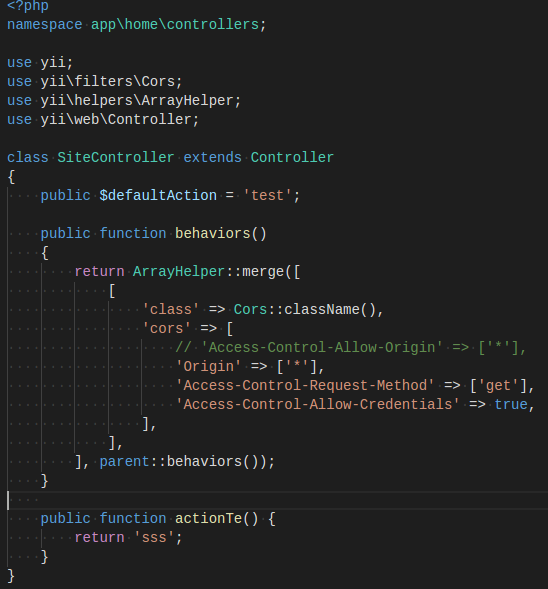
		public function behaviors()
                	{
                    		return ArrayHelper::merge([
                        	[
	                            "class" => Cors::className(),
        	                    "cors" => [
                	                //"Origin" => ["http://localhost:1024"],
                        	        "Origin" => ["*"],
                                	"Access-Control-Request-Method" => ["POST"],
	                                "Access-Control-Allow-Credentials" => true,
        	                    ],
                	        ],
	                    ], parent::behaviors());
        	        }
2.在controller中添加被调用的方法:
		public function actionTest(){
                    return "sss";
              	}
启动服务器就可以在vue页面点击button访问yii了。
注: 很多情况不能运行是访问后端controller下的action方法路径写错,先使用get方法测试,路径一定要写对!不然报500错误
若报错No "Access-Control-Allow-Origin" header is present on....,需要在后端该controller里申明
"Origin" => ["http://localhost:1024"] (或者"Origin" => ["*"])
	public function behaviors()
            {
                return ArrayHelper::merge([
                    [
                        "class" => Cors::className(),
                        "cors" => [
                            "Origin" => ["*"],
                            "Access-Control-Request-Method" => ["POST"],
                            "Access-Control-Allow-Credentials" => true,
                        ],
                    ],
                ], parent::behaviors());
            }
声明:该文观点仅代表作者本人,牛骨文系教育信息发布平台,牛骨文仅提供信息存储空间服务。
