
echarts-设置折线图中折线线条颜色和折线点颜色
1、问题背景
设计一条折线图,但是图形中不用插件自带的颜色,需要自定义线条和折点的颜色
2、实现源码
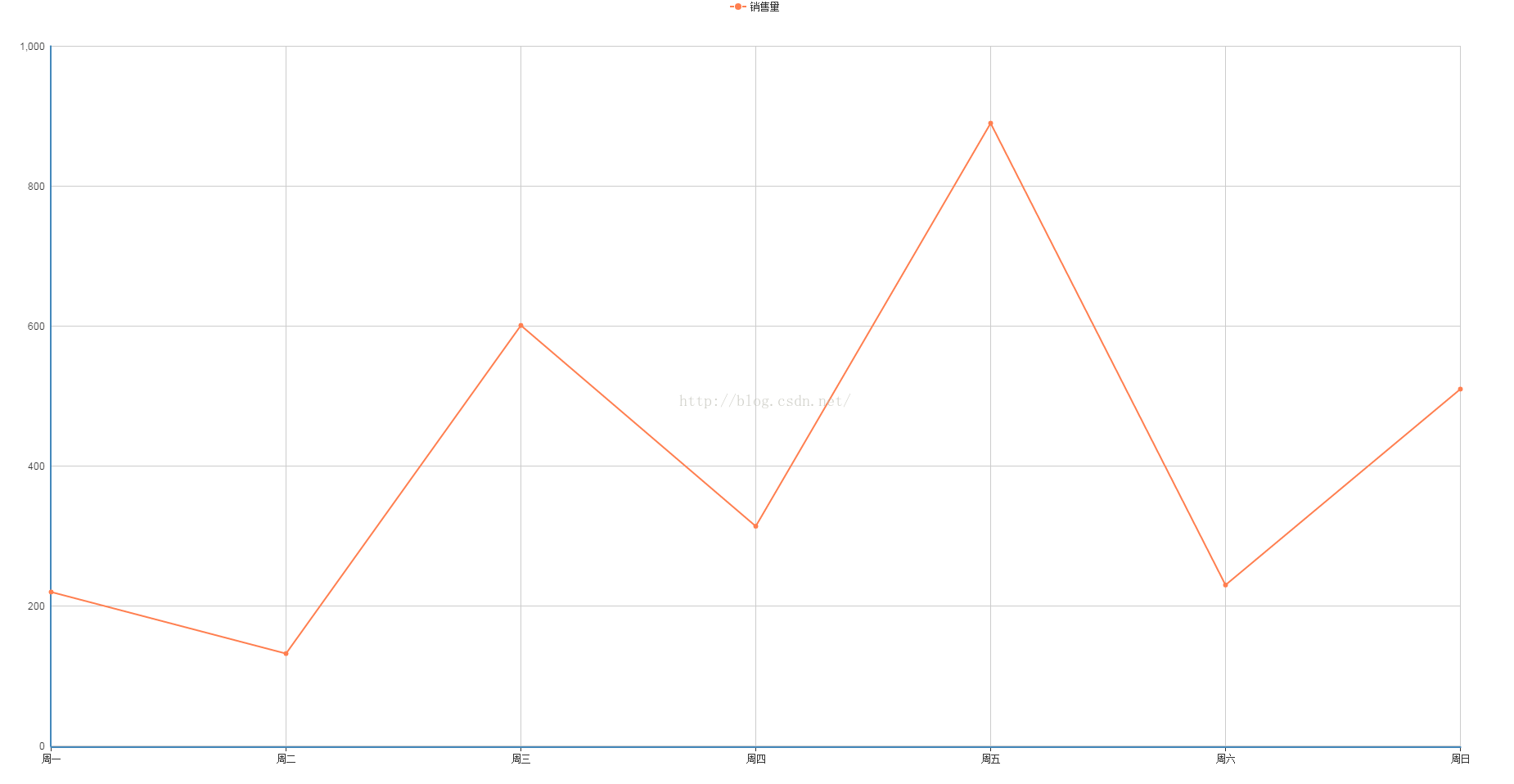
(1)图形自分配颜色
<!DOCTYPE html>
<html>
	<head>
		<meta charset="UTF-8">
		<title>echarts-设置折线图中折线线条颜色和折线点颜色</title>
		<link rel="shortcut icon" href="../js/echarts-2.2.7/doc/asset/ico/favicon.png">
		<script type="text/javascript" src="../js/echarts-2.2.7/doc/asset/js/jquery.min.js" ></script>
		<script type="text/javascript" src="../js/echarts-2.2.7/doc/example/www2/js/echarts-all.js" ></script>
		<style>
			body,html{
				width: 99%;
				height: 99%;
				font-family: "微软雅黑";
				font-size: 12px;
			}
			#line{
				width: 100%;
				height: 100%;
			}
		</style>
		<script>
			$(function(){
				var chart = document.getElementById("line");
                var echart = echarts.init(chart);

                var option = {
				    title: {
				        text: ""
				    },
				    tooltip: {
				        trigger: "axis"
				    },
				    legend: {
				        data:["销售量"]
				    },
				    grid: {
				        left: "3%",
				        right: "4%",
				        bottom: "3%",
				        containLabel: true
				    },
				    toolbox: {
				        feature: {
				            saveAsImage: {}
				        }
				    },
				    xAxis: {
				        type: "category",
				        boundaryGap: false,
				        data: ["周一","周二","周三","周四","周五","周六","周日"]
				    },
				    yAxis: {
				        type: "value"
				    },
				    series: [
				        {
				            name:"销售量",
				            type:"line",
				            stack: "销售量",
				            data:[220, 132, 601, 314, 890, 230, 510]
				        }
				    ]
				};

                echart.setOption(option);
			});
		</script>
	</head>
	<body>
		<div id="line"></div>
	</body>
</html>
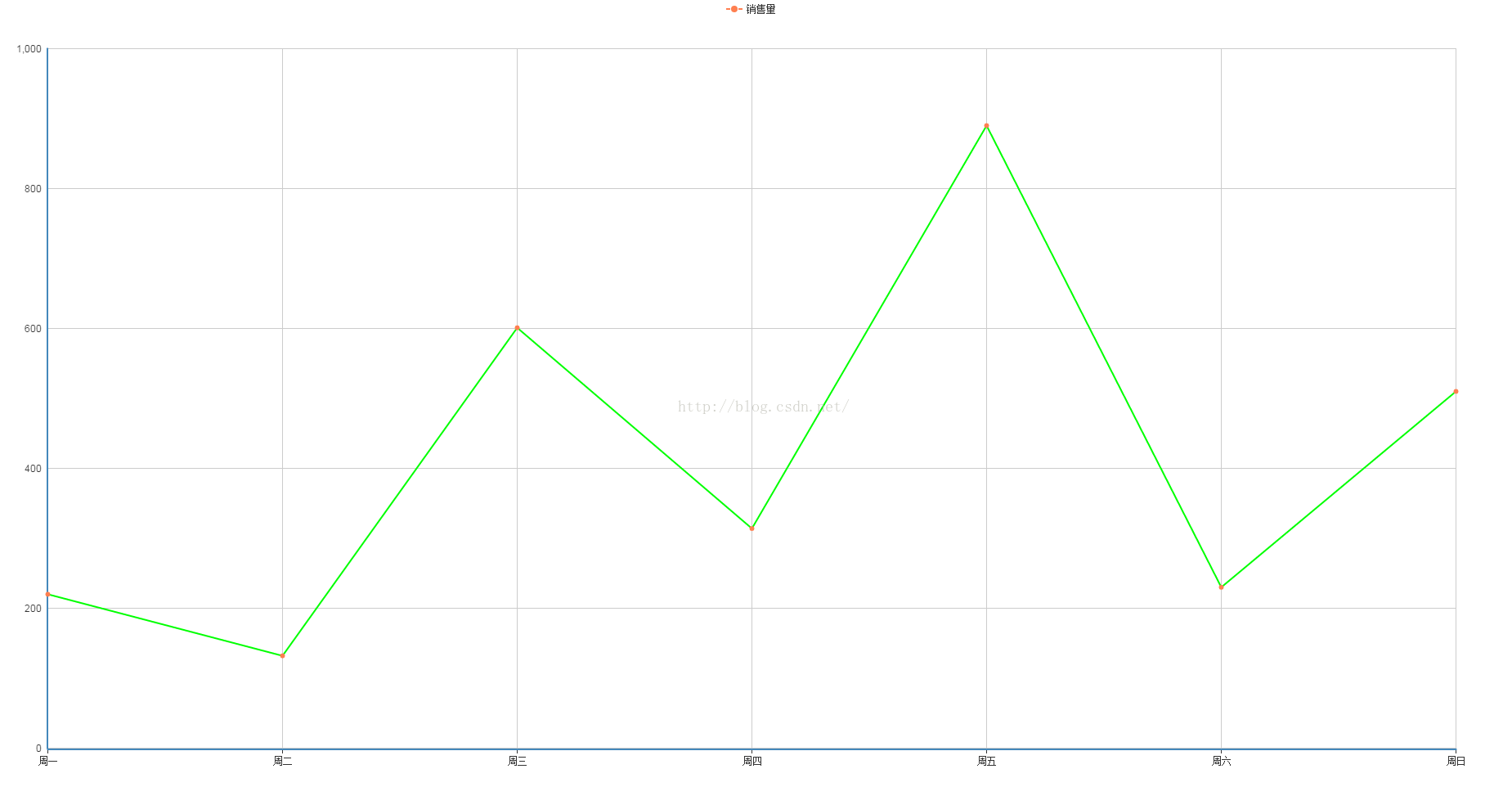
(2)线条自定义颜色
<!DOCTYPE html>
<html>
	<head>
		<meta charset="UTF-8">
		<title>echarts-设置折线图中折线线条颜色和折线点颜色</title>
		<link rel="shortcut icon" href="../js/echarts-2.2.7/doc/asset/ico/favicon.png">
		<script type="text/javascript" src="../js/echarts-2.2.7/doc/asset/js/jquery.min.js" ></script>
		<script type="text/javascript" src="../js/echarts-2.2.7/doc/example/www2/js/echarts-all.js" ></script>
		<style>
			body,html{
				width: 99%;
				height: 99%;
				font-family: "微软雅黑";
				font-size: 12px;
			}
			#line{
				width: 100%;
				height: 100%;
			}
		</style>
		<script>
			$(function(){
				var chart = document.getElementById("line");
                var echart = echarts.init(chart);

                var option = {
				    title: {
				        text: ""
				    },
				    tooltip: {
				        trigger: "axis"
				    },
				    legend: {
				        data:["销售量"]
				    },
				    grid: {
				        left: "3%",
				        right: "4%",
				        bottom: "3%",
				        containLabel: true
				    },
				    toolbox: {
				        feature: {
				            saveAsImage: {}
				        }
				    },
				    xAxis: {
				        type: "category",
				        boundaryGap: false,
				        data: ["周一","周二","周三","周四","周五","周六","周日"]
				    },
				    yAxis: {
				        type: "value"
				    },
				    series: [
				        {
				            name:"销售量",
				            type:"line",
				            stack: "销售量",
				            itemStyle : {
								normal : {
									lineStyle:{
										color:"#00FF00"
									}
								}
							},
				            data:[220, 132, 601, 314, 890, 230, 510]
				        }
				    ]
				};

                echart.setOption(option);
			});
		</script>
	</head>
	<body>
		<div id="line"></div>
	</body>
</html>
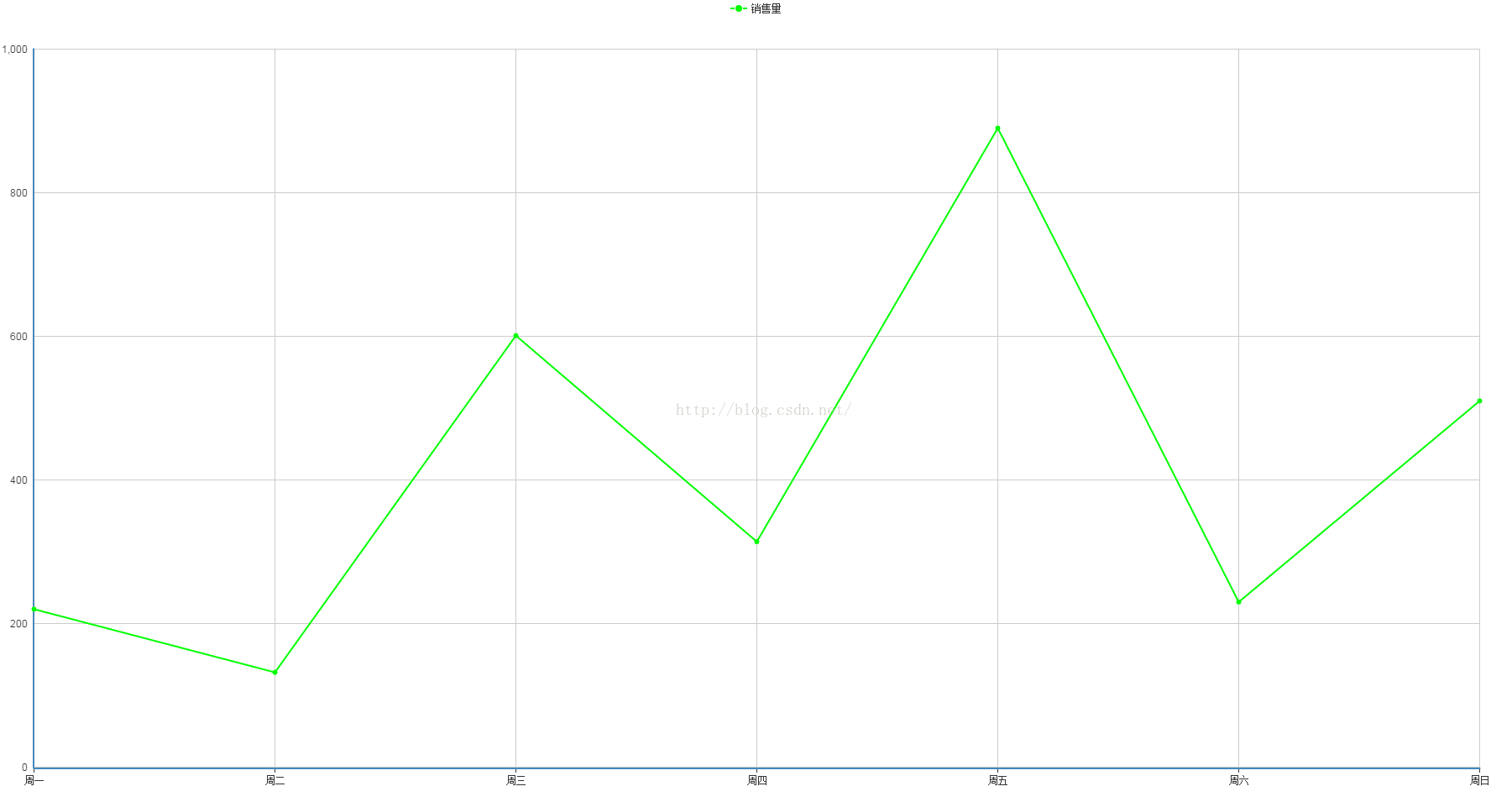
(3)折点自定义颜色
<!DOCTYPE html>
<html>
	<head>
		<meta charset="UTF-8">
		<title>echarts-设置折线图中折线线条颜色和折线点颜色</title>
		<link rel="shortcut icon" href="../js/echarts-2.2.7/doc/asset/ico/favicon.png">
		<script type="text/javascript" src="../js/echarts-2.2.7/doc/asset/js/jquery.min.js" ></script>
		<script type="text/javascript" src="../js/echarts-2.2.7/doc/example/www2/js/echarts-all.js" ></script>
		<style>
			body,html{
				width: 99%;
				height: 99%;
				font-family: "微软雅黑";
				font-size: 12px;
			}
			#line{
				width: 100%;
				height: 100%;
			}
		</style>
		<script>
			$(function(){
				var chart = document.getElementById("line");
                var echart = echarts.init(chart);

                var option = {
				    title: {
				        text: ""
				    },
				    tooltip: {
				        trigger: "axis"
				    },
				    legend: {
				        data:["销售量"]
				    },
				    grid: {
				        left: "3%",
				        right: "4%",
				        bottom: "3%",
				        containLabel: true
				    },
				    toolbox: {
				        feature: {
				            saveAsImage: {}
				        }
				    },
				    xAxis: {
				        type: "category",
				        boundaryGap: false,
				        data: ["周一","周二","周三","周四","周五","周六","周日"]
				    },
				    yAxis: {
				        type: "value"
				    },
				    series: [
				        {
				            name:"销售量",
				            type:"line",
				            stack: "销售量",
				            itemStyle : {
								normal : {
									color:"#00FF00",
									lineStyle:{
										color:"#00FF00"
									}
								}
							},
				            data:[220, 132, 601, 314, 890, 230, 510]
				        }
				    ]
				};

                echart.setOption(option);
			});
		</script>
	</head>
	<body>
		<div id="line"></div>
	</body>
</html>
3、实现结果
(1)图形自分配颜色
(2)线条自定义颜色
(3)折点自定义颜色
4、问题说明
(1)设置折线线条颜色
lineStyle:{
color:"#00FF00"
}
(2)设置折线折点颜色
itemStyle : {
normal : {
color:"#00FF00"
}
}
声明:该文观点仅代表作者本人,牛骨文系教育信息发布平台,牛骨文仅提供信息存储空间服务。
